 Skip to content
Kommentarkonfigurator IPTV Smarters Pro Fire TV Stick
1: Bewegen Sie den Mauszeiger auf dem Startbildschirm Ihres Geräts über die Option „Suchen“.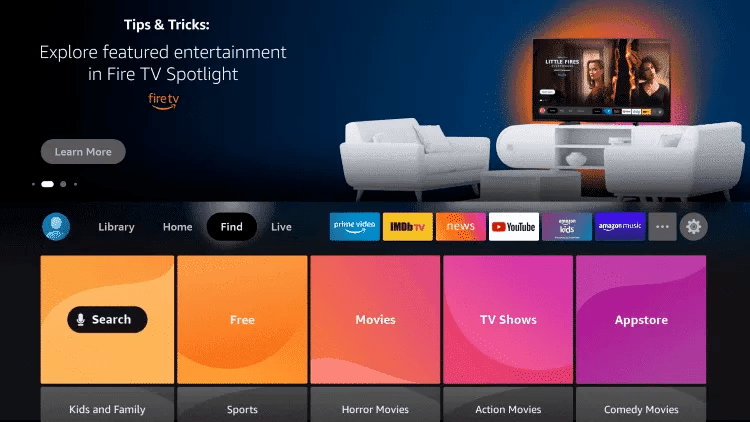
2. Klicken Sie auf Suchen.
3. Suchen und wählen Sie Downloader.
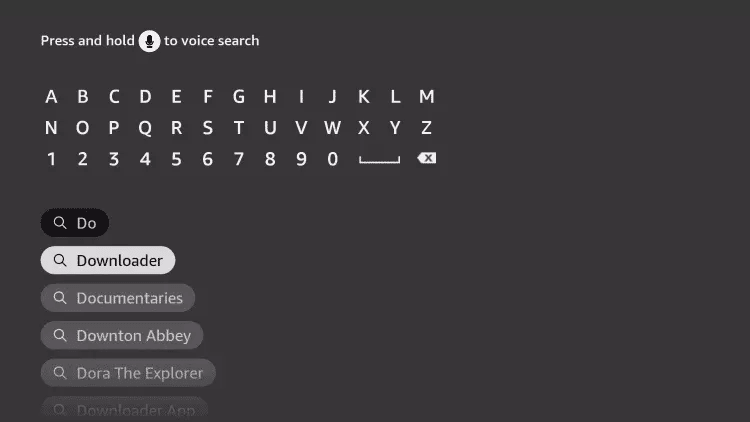
4. Wählen Sie die Downloader-App.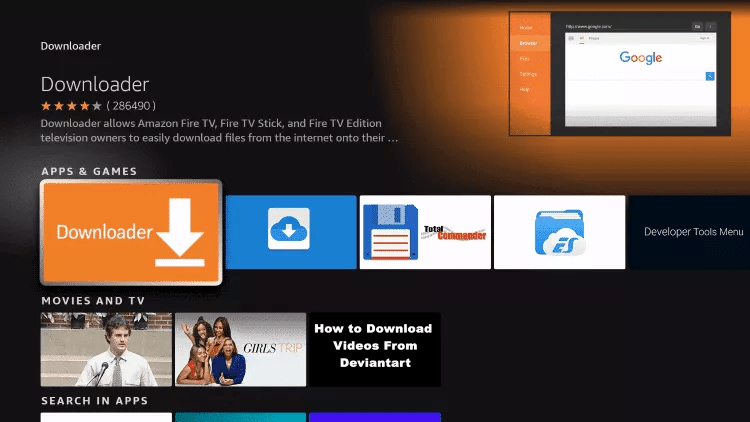
5. Klicken Sie auf „Herunterladen“.
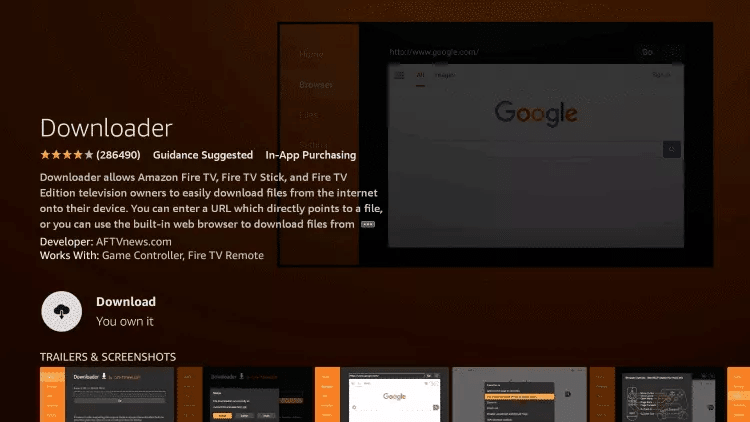
6. Sobald die Anwendung installiert ist, klicken Sie auf „Öffnen“.
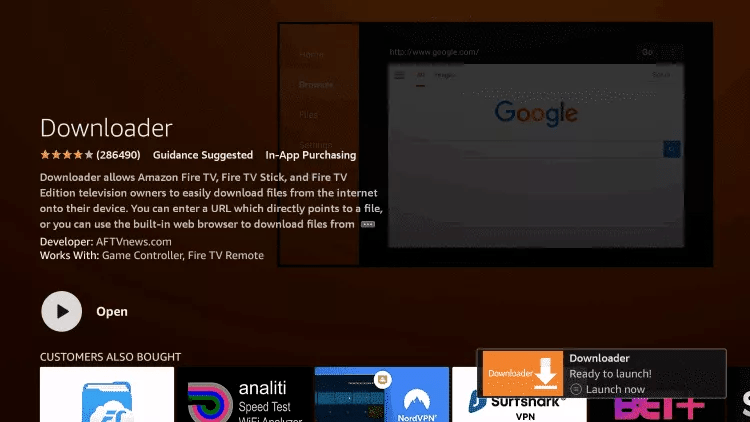
7. Kehren Sie zum Startbildschirm zurück und öffnen Sie Einstellungen.
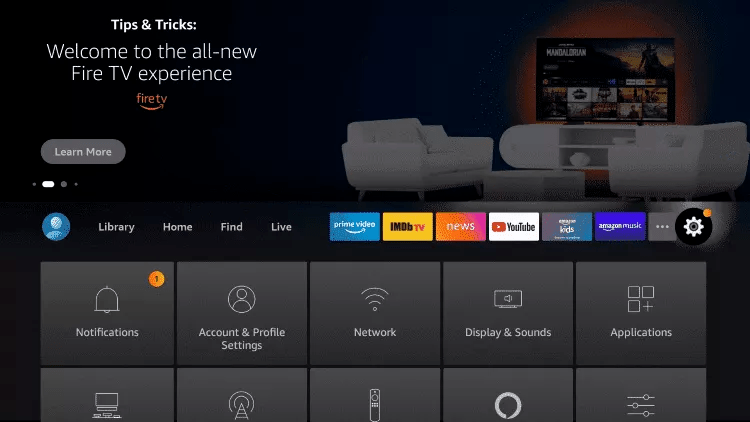
8. Cliquez sur Mon Fire TV.
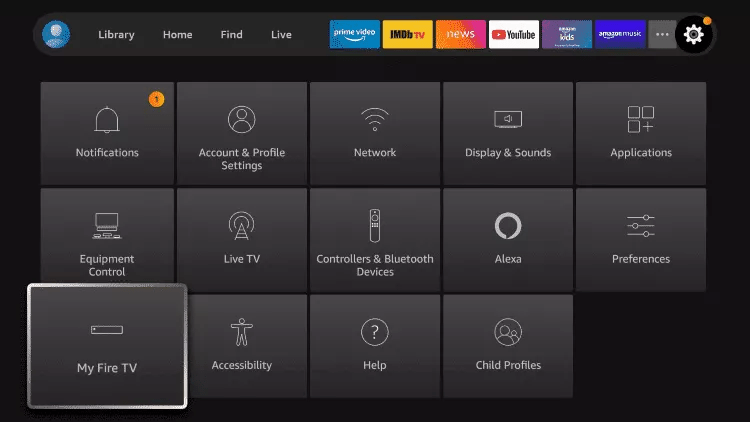
9. Wählen Sie Entwickleroptionen.
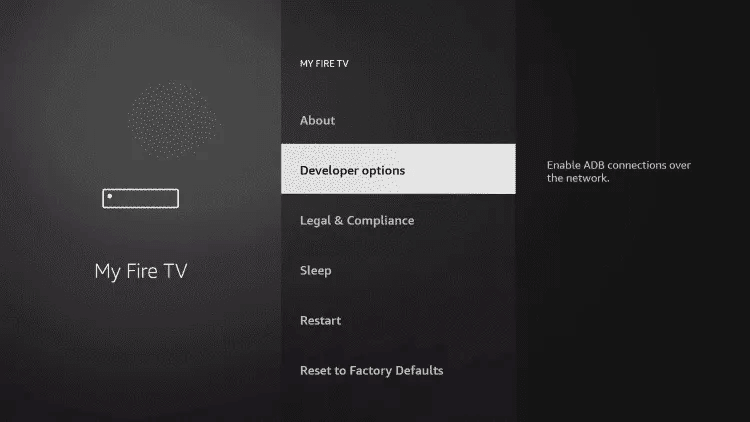
10. Klicken Sie auf „Unbekannte Apps installieren“.
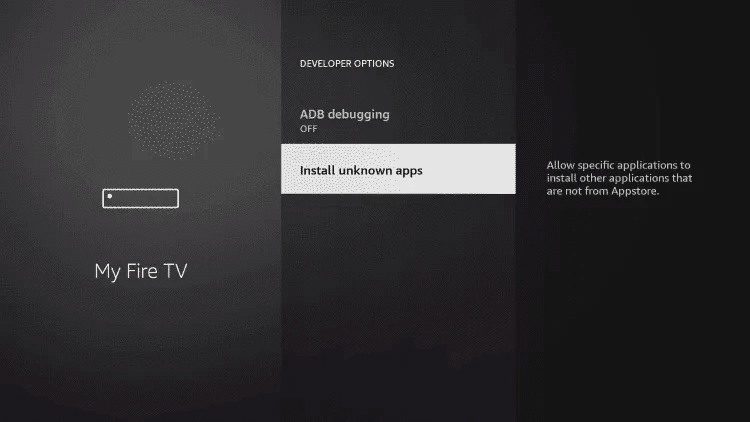
11. Suchen Sie die Downloader-App und klicken Sie darauf.
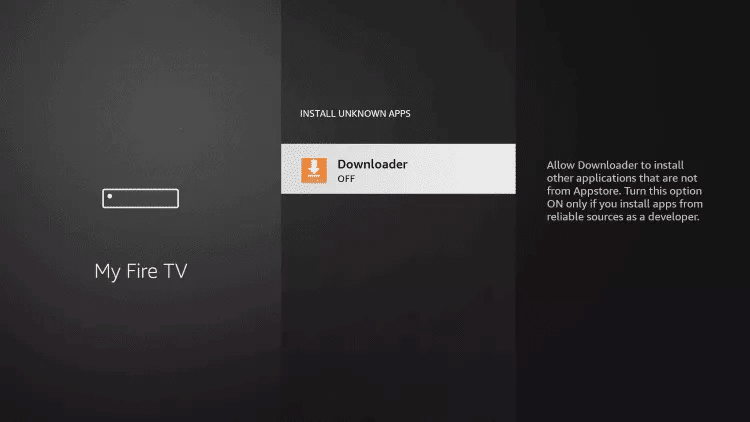
12. Dadurch werden unbekannte Quellen für die Downloader-App aktiviert. Dadurch wird das Sideloading auf Ihrem Gerät aktiviert.
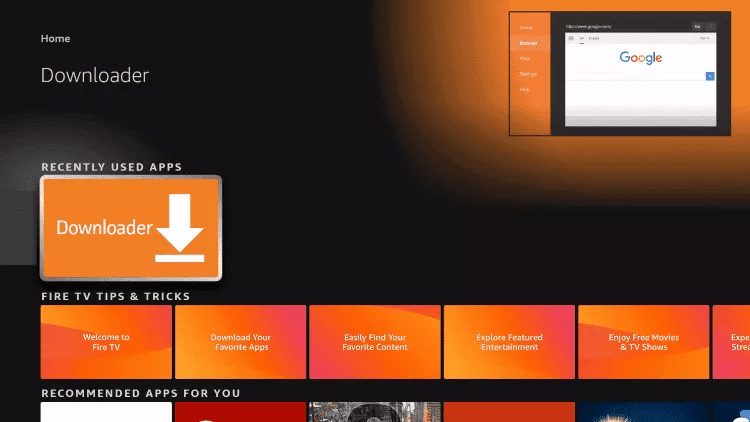
13. Starten Sie den Downloader.
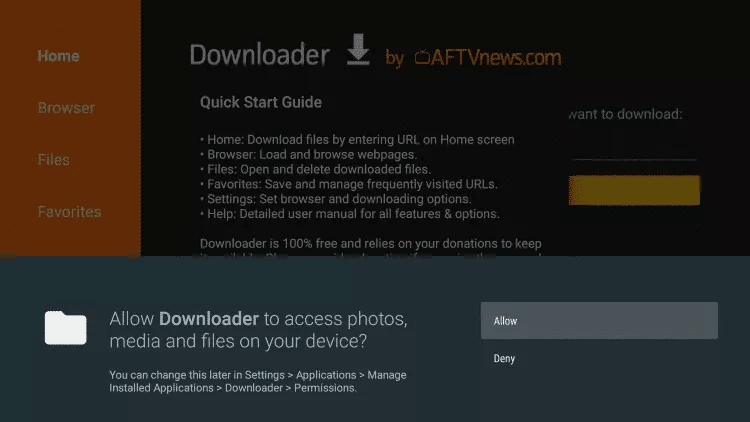
14. Klicken Sie auf Zulassen
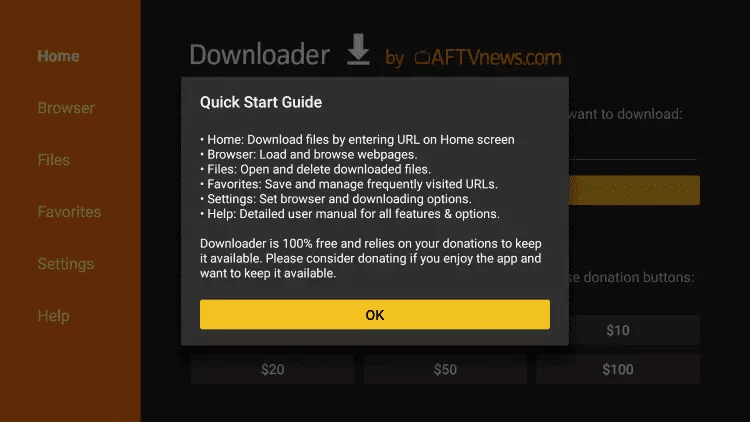
15. Klicken Sie auf OK
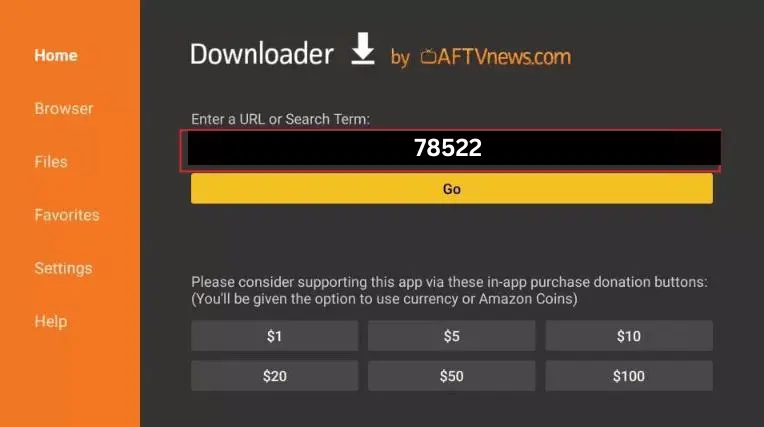
16. Geben Sie den folgenden Code in diesem Fenster ein: 78522
17. Achten Sie darauf, dass das Dokument nicht heruntergeladen wird.
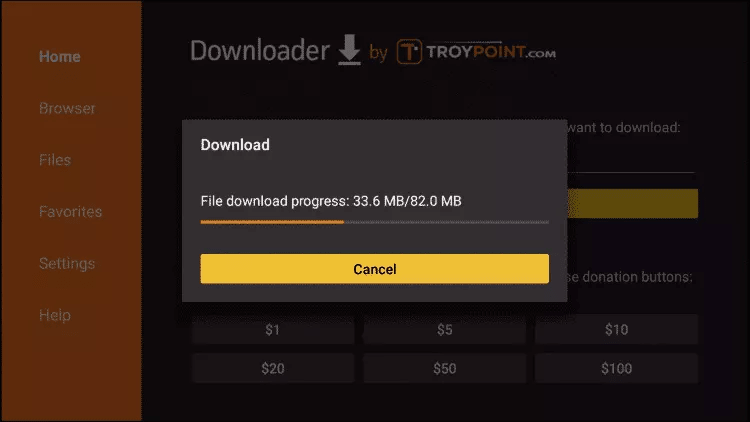
18. Wenn der Download abgeschlossen ist, führt die Downloader-App die APK-Datei aus und die Installation wird gestartet
Installer-Klicks
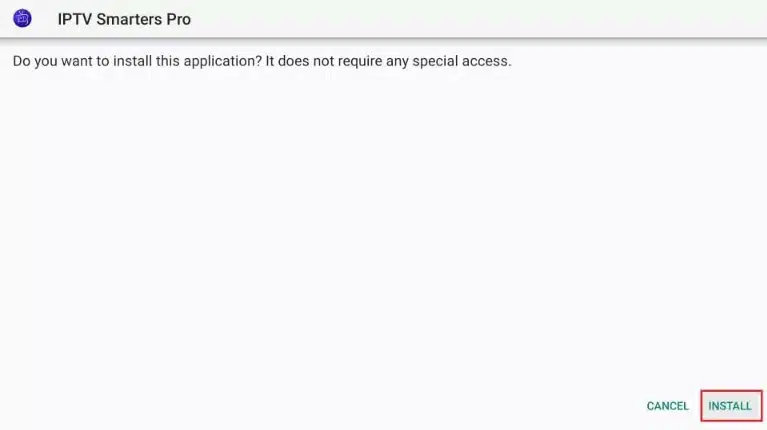
19. Warten Sie, bis die Installation abgeschlossen ist.
20. Die Installation ist mit der Benachrichtigung über die installierte App abgeschlossen
Sie können nun auf OPEN klicken und mit Iptv smarters Pro loslegen
Ich empfehle Ihnen, FERTIG zu wählen, damit Sie zunächst die APK-Datei löschen können und etwas Platz auf dem FireStick-Speicher sparen.IPTV Smarters Pro
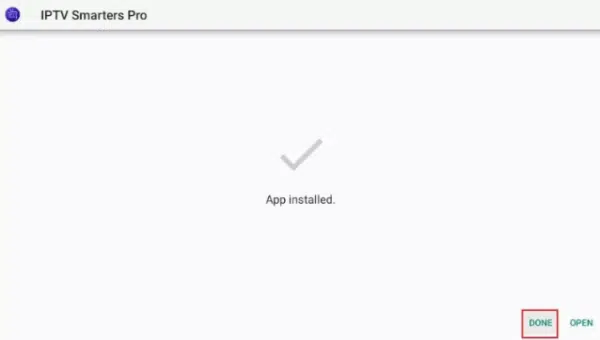
21. Wenn Sie oben auf FERTIG geklickt haben, befinden Sie sich wieder auf der Oberfläche des Downloaders
Klicken Sie auf Löschen
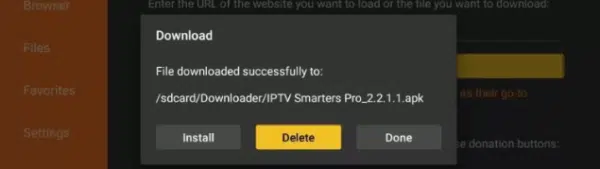
Großartig! Sie haben jetzt die IPTV Smarters Pro App auf dem FireStick.
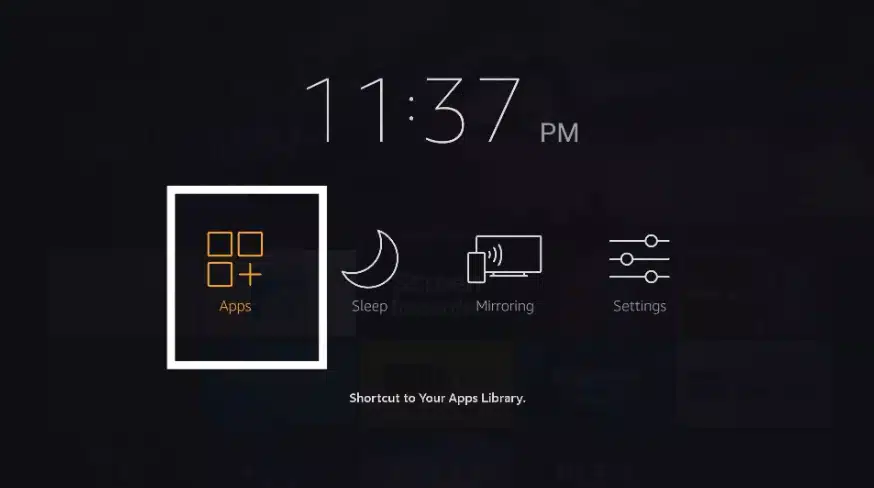
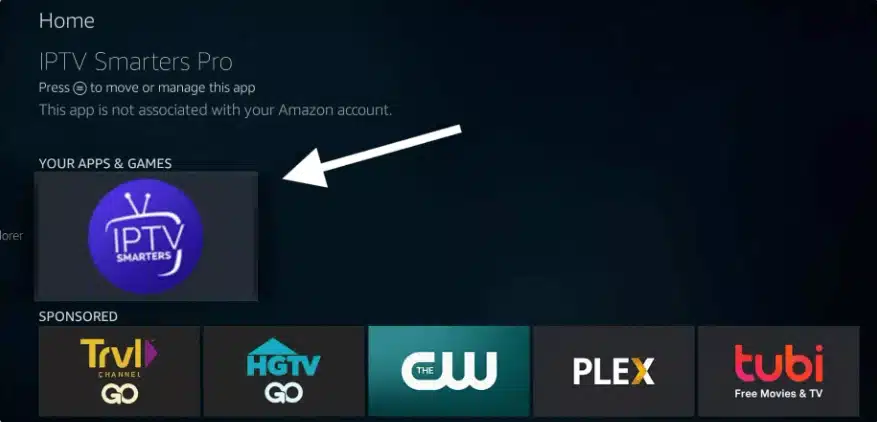
Starten Sie IPTV Smarters Pro auf dem Firestick, indem Sie entweder zum Abschnitt “Ihre Apps und Kanäle” gehen oder die Home-Taste gedrückt halten und dann auf dem nächsten Bildschirm Apps auswählen.
Scrollen Sie nach unten und Sie werden sehen, dass die App am unteren Rand erscheint.
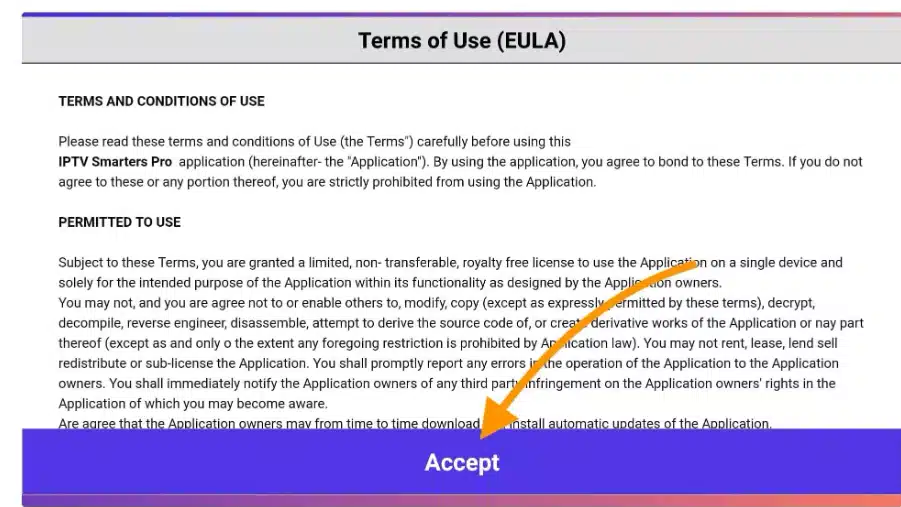
Beim ersten Start werden Sie aufgefordert, den Nutzungsbedingungen zuzustimmen. Klicken Sie einfach auf die Schaltfläche Akzeptieren.
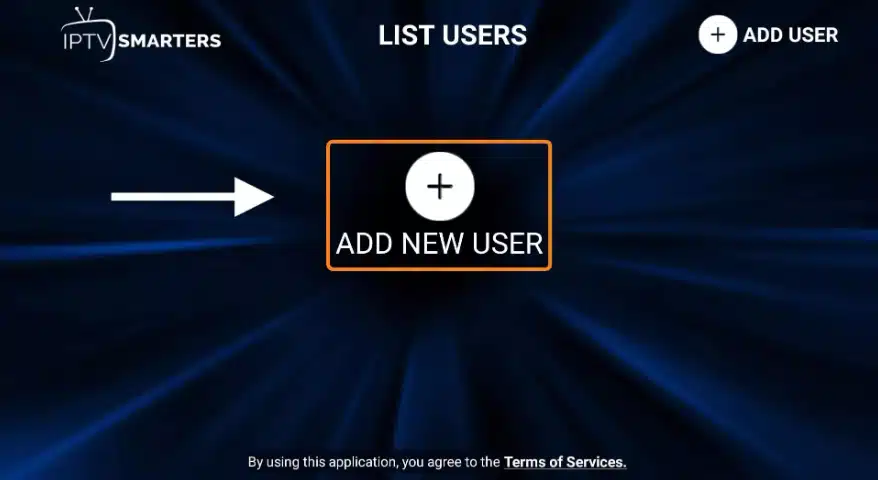
Sobald dies geschehen ist, werden Sie aufgefordert, einen Benutzer hinzuzufügen. Klicken Sie dazu einfach auf die Schaltfläche Benutzer hinzufügen.
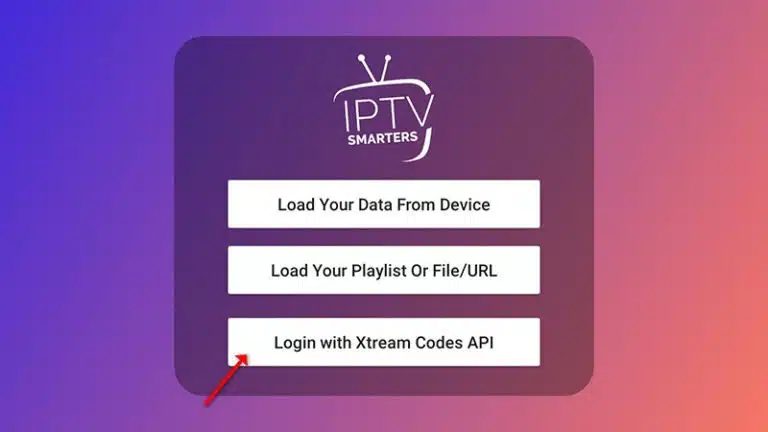
klicken Sie auf “Add User” und dann auf “Anmelden mit Xtream Codes API“.
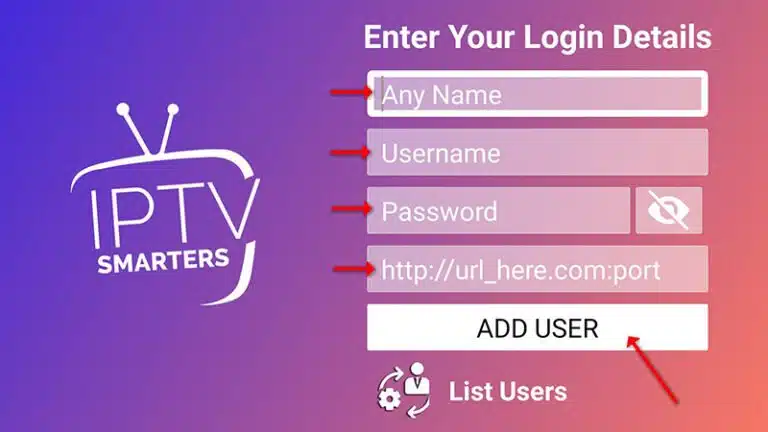
In diesem Schritt wählen Sie im ersten Feld einen beliebigen Namen, zum Beispiel “IPTV Xtream”. Im zweiten und dritten Feld geben Sie den “Benutzernamen” und das “Passwort” Ihres M3U-Anschlusses sowie die Server-URL ein, die Sie ebenfalls auf Ihrem M3U-Anschluss finden.
Klicken Sie nun auf “Add User“, um zum nächsten Abschnitt zu gelangen.
Warten Sie einige Sekunden.
Klicken Sie nun auf das Symbol “Live TV“, das in der Abbildung mit einem roten Pfeil dargestellt ist.
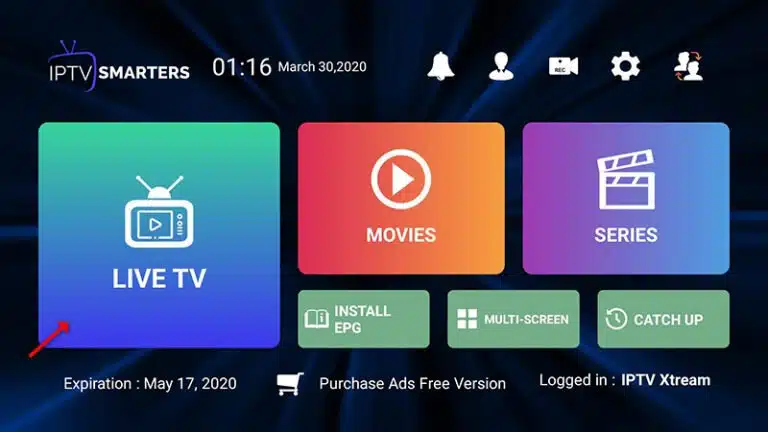
Wählen Sie nun die Sendergruppe aus, die Sie sehen möchten, und fahren Sie mit dem nächsten Abschnitt fort.
IPTV Smarters Pro Fire TV Stick

This blog was… how do you say it? Relevant!!
Finally I’ve found something which helped me.
Thanks a lot!
You’re welcome,
Its such as you read my mind! You seem to know a lot approximately this,
like you wrote the e book in it or something. I think that you simply can do with some p.c.
to force the message home a bit, but instead of that, that is
fantastic blog. An excellent read. I’ll certainly
be back.
Admiring the dedication you put into your site and in depth information you present.
It’s good to come across a blog every once in a while that isn’t the same old rehashed material.
Excellent read! I’ve bookmarked your site and I’m adding your RSS feeds to my Google account.
Excellent post. I used to be checking continuously this weblog and I am
inspired! Extremely helpful information particularly the closing part :
) I maintain such information much. I used to be looking for this certain info for
a long time. Thank you and good luck.
Excellent site you have here.. It’s difficult to find excellent writing like yours these days.
I honestly appreciate individuals like you! Take care!!
Heya i am for the first time here. I found this board and I find It truly useful & it helped me out a lot.
I hope to give something back and aid others like you helped me.
I constantly emailed this website post page to all my contacts, as if
like to read it next my contacts will too.
This info is worth everyone’s attention. How can I find
out more?
I visited several blogs but the audio quality for audio songs
existing at this site is in fact superb.
Great weblog here! Also your web site so much
up fast! What web host are you using? Can I get your
affiliate hyperlink to your host? I want my site loaded up as fast
as yours lol
Nice answer back in return of this matter with real arguments and telling all about that.
I think the admin of this website is actually working hard in support of his
web page, for the reason that here every data is quality based information.
magnificent put up, very informative. I ponder why the other
specialists of this sector don’t notice this.
You must proceed your writing. I am sure, you have a huge readers’ base already!
Ahaa, its good dialogue regarding this paragraph here at this website,
I have read all that, so now me also commenting at this place.
Hello, i think that i saw you visited my website so i came to “return the favor”.I’m attempting to find
things to enhance my website!I suppose its ok to use some of your ideas!!
Unquestionably believe that which you said. Your favorite reason appeared to be on the net the
simplest thing to be aware of. I say to you, I certainly
get annoyed while people consider worries that they
just do not know about. You managed to hit the nail upon the top as well as defined
out the whole thing without having side-effects , people can take a signal.
Will likely be back to get more. Thanks
Hi there! This blog post couldn’t be written much better!
Going through this post reminds me of my previous roommate!
He constantly kept talking about this. I am going to send this article to
him. Fairly certain he’ll have a very good read. Thanks for
sharing!
Hello there, I found your site by way of Google even as searching for a similar matter, your website came
up, it appears to be like great. I’ve bookmarked it in my google bookmarks.
Hi there, just changed into alert to your weblog thru Google,
and found that it’s really informative. I am going to be careful for brussels.
I’ll be grateful should you continue this in future. A lot of
other folks will probably be benefited from your writing.
Cheers!